
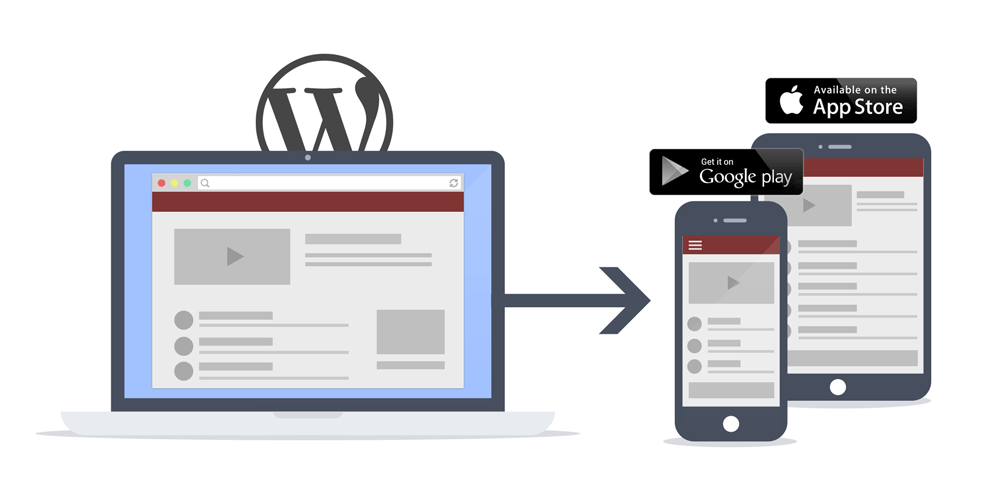
Your WordPress website already does the heavy lifting. It holds your posts, pages, products, courses and members. Your team already knows how to keep it up to date.
So when customers ask for an app, you don’t need a second system. This guide shows you how to convert your WordPress website to an app with AppPresser and ship it to both the Apple App Store and Google Play.
You’ll see why an app is worth it, how AppPresser works, the six steps from sign-up to launch, and who it’s built for.
Why convert your WordPress website to an app?
A responsive website is essential. But it waits for people to come back. An app lives on their phone.
Reach people where they already are
Your app gets its own listing in the App Store and Google Play, under your name and logo. Once people install it, your brand sits on their home screen, one tap away.
Send push notifications that get seen
Email lands in a crowded inbox. A push notification lands on the lock screen. AppPresser includes push notifications on every plan.
- Announce a new post, product, class or event the moment it matters.
- Send to individual devices.
- Open a specific app page or an external page when someone taps.
Our docs show you how to turn on push notifications and send a message.
Keep your best customers engaged
The people who install your app are often your most loyal readers, buyers and members. Your app gives them a faster way back. They log in once, then browse, shop, learn or join the conversation.
Offer offline access to your media
Not every user has a strong signal. AppPresser makes images and other media available offline, including audio and video downloads. Your episodes, lessons and videos keep working on a plane.
Build a brand that’s fully yours
You choose the app icon, splash screen, colors, fonts and header logo. We submit the app in your own Apple and Google developer accounts. It’s your app, not a generic reader with your feed inside.
Still deciding? Read when a mobile app wins over a responsive website.
How AppPresser takes you from WordPress to app
AppPresser doesn’t ask you to rebuild your site on another platform. It connects to the WordPress site you already have.
- Your content stays in WordPress. The app connects through the WordPress REST API and our WordPress plugins. Publish a post or update a product, and your app has it too.
- You don’t maintain a separate codebase. One app is a single project that ships to both the App Store and Google Play.
- You get native iOS and Android apps. People install your app from the stores, and it uses device features like push notifications, the camera, geolocation and offline media.
- Your plugins come with you. AppPresser works with WooCommerce, LearnDash, BuddyPress, BuddyBoss, membership plugins and podcasting.
AppPresser 5 makes building visual. You design your app’s pages in the Page Builder and see each change in a live app preview before you publish. On your site, Core5 is one free WordPress.org plugin that combines the former AppPresser add-ons.
Want a closer look at the builder and plugins? Read our guide to turning your WordPress site into an iOS and Android app with AppPresser 5.
Why use a WordPress app builder instead of a custom build?
You could hire an agency to build an app from scratch. For most site owners, a WordPress app builder is the faster, more affordable path.
- Launch faster. Your content, users and products already exist. You design screens and switch on features. You don’t build a backend.
- Know your costs. You pay a monthly or annual subscription, with unlimited app downloads on every plan. See AppPresser pricing.
- Skip the mobile app skills. If you can manage a WordPress site, you can build with blocks like post lists, sliders, cards, buttons, photo galleries and media.
- Work in one dashboard. Design, pages, menus, features and builds all live in the same workspace.
- Use features that come built in. Get login and registration with your WordPress accounts, push notifications, camera uploads, translations with WPML support, AdMob ads, social sharing, offline media and App Events.
- Let us handle app store submission. We submit your app to the App Store and Google Play in your own developer accounts.
- Grow into more. Professional and Advanced add Plus Features: segmented notifications, the Push Notification API, team members and multiple data sources. Advanced adds in-app purchases and Apple/Google Login.
See every option on our features page, or read how much a mobile app costs in 2026.
How to convert WordPress website to app in 6 steps
Here’s the path from sign-up to the app stores. For click-by-click help, follow Start here: build your app with AppPresser in our docs.
1. Start your free trial
Choose a plan on the pricing page. Every plan starts with a 14-day free trial. After you sign up, you land in your app dashboard.
2. Connect your WordPress site
Open the Connect screen and save your site URL. Then finish the setup steps, like installing the AppPresser plugin and JWT Authentication on your site. Our guide shows you how to connect your WordPress site and turn on Features.
3. Design your app in the Page Builder
- Build custom pages with blocks.
- Add pages to your menus, such as bottom tabs or a side menu.
- Set your colors, fonts, header logo, app icon and splash screen.
- Add custom CSS if you want full control.
Your website keeps its own theme. AP5 also includes the AppPresser app theme, so you can show regular WordPress pages next to the pages you design. Learn how to build app pages with blocks.
4. Turn on the features you need
Switch on push notifications, login, offline media, events and your plugin integrations. You can combine them on one page. For example, put LearnDash courses and BuddyPress messages in the same app.
5. Preview and test your app
Use the live App Preview in your browser as you build. Before you submit, test on a real device. During your trial, we can help you set up Android device testing.
6. Build and publish to the App Store and Google Play
Run your builds on the Builds screen. Then choose a paid plan, and we submit your app in your developer accounts.
- Apple Developer Program membership: US$99 per year, paid to Apple.
- Google Play developer account: US$25 one-time registration fee, paid to Google.
- Setup for app store submission: included on Professional and Advanced. On Standard it’s $199, waived for annual subscriptions.
Our getting started guide walks through each step in more detail.
Who should use a WordPress mobile app builder?
AppPresser is built for site owners, publishers, store owners, course creators, community builders and developers. These sites get the most from going mobile.
- Publishers and podcasters: bring posts and episodes into your app, send a push when new content goes live, and let listeners download audio.
- WooCommerce stores: put your catalog in customers’ pockets and announce launches and sales. See WooCommerce apps.
- LearnDash course creators: give students a dedicated learning app. To sell digital content like courses in the app, Apple and Google require in-app purchases, which come with the Advanced plan. See LearnDash apps.
- BuddyPress and BuddyBoss communities: give members one tap to profiles, activity and messages. See community apps.
- Membership sites: protect members-only content behind login. See membership apps.
- Churches: share sermons, events and announcements. See church apps.
- Schools: keep families up to date on news and calendars. See school apps.
- Nonprofits: keep supporters informed between campaigns. See nonprofit apps.
- Agencies and freelancers: add apps to the WordPress sites you build for clients. See reseller plans.
Browse our industry guides and real apps on the examples page.
Frequently asked questions
No. AppPresser connects to your existing site through the WordPress REST API and our plugins. Your content stays in WordPress, and you keep managing it there.
Yes. On every plan, one app is a single project that ships to both the Apple App Store and Google Play. Standard and Professional include 1 app. Advanced includes 2 apps, each on iOS and Android.
Many plugins, such as Gravity Forms, WooCommerce, BuddyPress, LearnDash and Restrict Content Pro, work in apps out of the box. Your website can use any theme. In the app, you design pages with the Page Builder, and the AppPresser app theme can show regular WordPress pages.
Billed annually, Standard is $59/mo, Professional is $79/mo and Advanced is $129/mo. Billed monthly, they’re $79, $99 and $149. Every plan includes push notifications and unlimited app downloads. Compare plans on our pricing page.
Yes. We submit your app on your behalf, in your own Apple and Google developer accounts. You can resubmit at any time after your submissions are set up.
Yes. Every plan comes with a 14-day free trial. You can build your app and test it in the browser preview. To submit to the app stores, you need a paid plan.
Yes. Our team can build, configure and launch your app through Premium Support, or build something fully custom through our custom app development services.
Start building your app today
Your website already has the content, users and plugins your app needs. AppPresser turns them into native iOS and Android apps, with push notifications on every plan, a live preview as you build, and app store submission handled by our team.
Start your 14-day free trial, see the AppPresser 5 builder, or explore every feature.



Leave a Reply
You must be logged in to post a comment.