
Add your own styles (Custom CSS)
Build Your App · AppPresser Docs
Add your own styles (Custom CSS)
இந்தக் கட்டுரை இன்னும் மொழிபெயர்க்கப்படவில்லை, எனவே ஆங்கிலத்தில் காட்டப்படுகிறது.
Your app journey: step 3 of 9, Connect and set up. New here? Read Start here: build your app with AppPresser first.
What you'll do: Add your own CSS to fine-tune how your app looks, beyond what the Design screen offers. CSS is code that controls how things look, like text size or colors.
Before you start
- Know a little CSS, or have CSS ready from someone who does.
- Try the Design screen first. It changes colors and fonts without code. See Choose your app colors and fonts (Design).
Add your CSS
- In the left menu, under Customization, click Custom CSS.
- Type or paste your CSS in the CSS Editor.
- Check the App Preview on the right. Your change shows there right away.
- Click Save Changes at the top right.
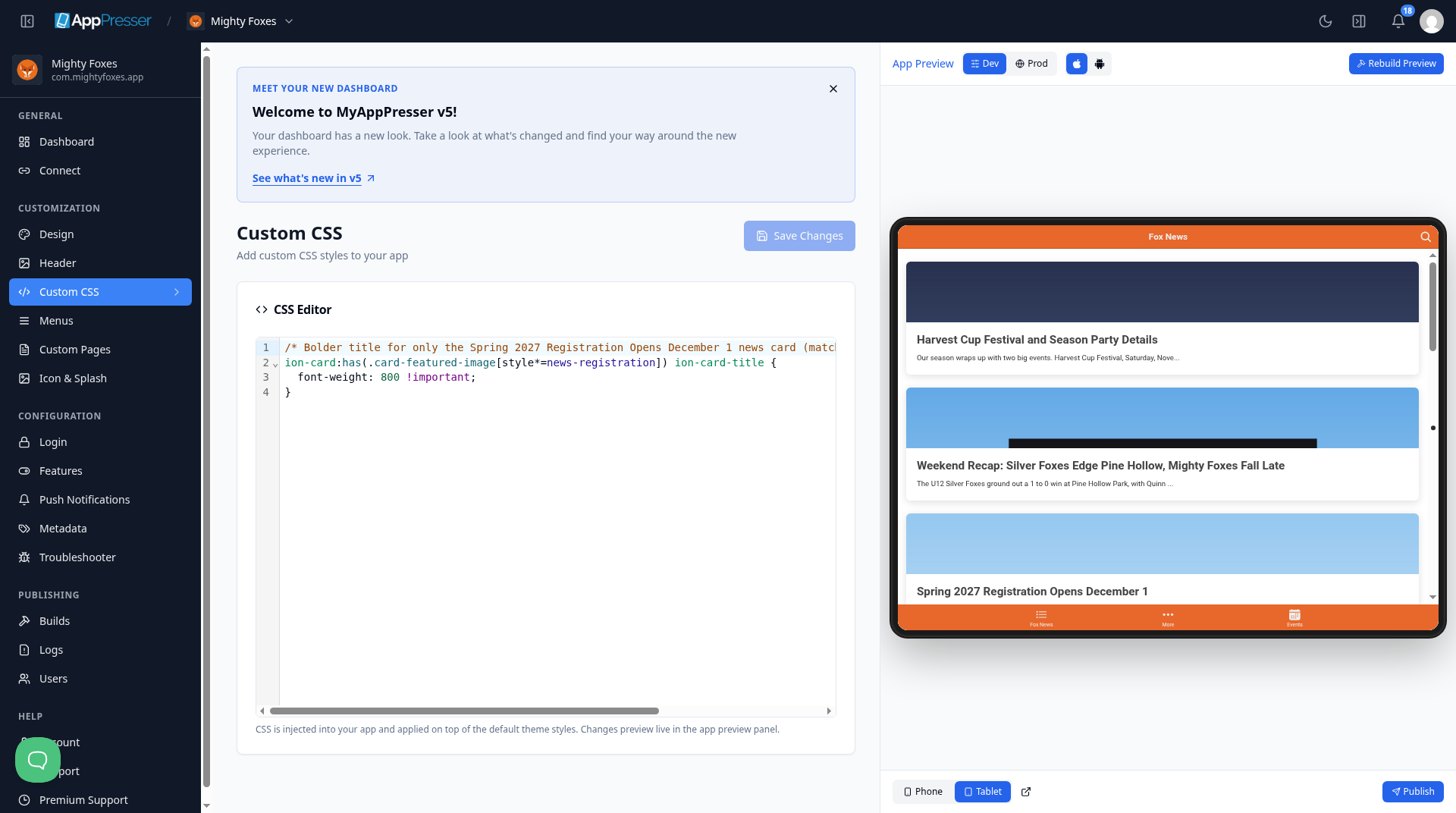
Your CSS is added on top of the app's default styles.
Tip: Want a Google Font? Add its address in Custom Font URL on the Design screen. Then use CSS here to apply the font.
Careful: Change one thing at a time and check the preview. If something looks wrong, delete your last change and save again.
You're done when your change shows in the App Preview and Save Changes is gray again.
Next step
Build app pages with blocks (Custom Pages)
Related articles
இது உதவியாக இருந்ததா?
தட்டச்சு செய்யும்போதே முடிவுகள் புதுப்பிக்கப்படும். தேடலுக்குச் செல்ல ஸ்லாஷ் அழுத்துங்கள்.
கிடைக்கவில்லையா?
எங்கள் ஆதரவுக் குழு அமைவு, உருவாக்கம் மற்றும் app store கேள்விகளில் உதவ முடியும்.