
You may have received an email recently from Google Play that says “Declare a target audience by September 1st.” Here’s what they want you to do.
Login to your Play console and click your app. Go to Store Presence => App Content. Under Target audience and content, click start.
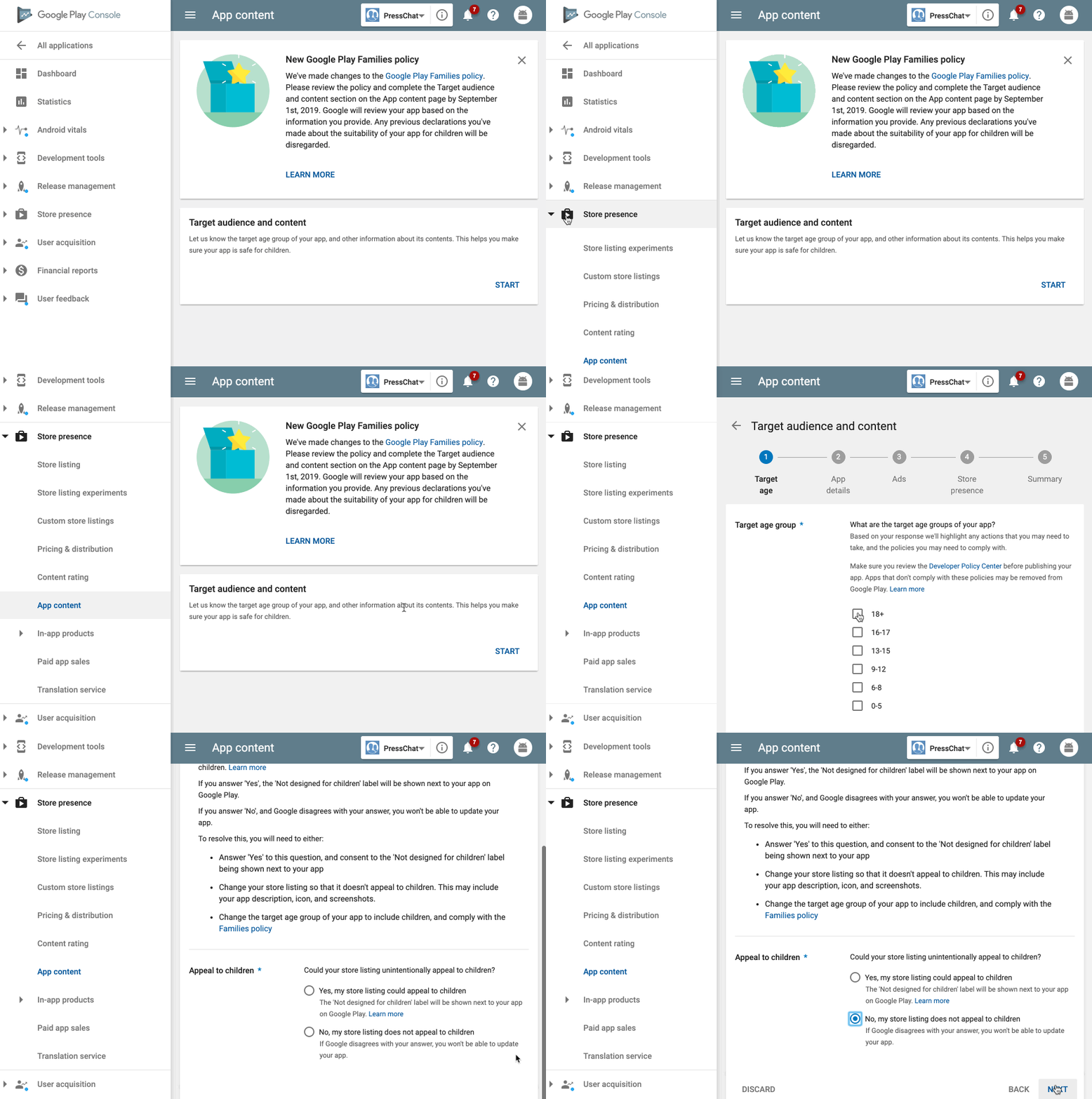
Select your audience age. If you choose 18+ and “No”, you will not be required to do anything else. If you choose to display your app for children, you may be required to take further steps.
That’s it!


One response to “How to Declare a Target Audience for Google Play”
If I have selected the audience age as 18+ and “No”.
Will the kids below 18, still, be able to download the app?