End of Year Sale: 30% off your first year on annual plans. Use code AP5-30-OFF See plans
Our Desk

How to Declare a Target Audience for Google Play

Updated 1 min read

You may have received an email recently from Google Play that says “Declare a target audience by September 1st.” Here’s what they want you to do.

Login to your Play console and click your app. Go to Store Presence => App Content. Under Target audience and content, click start.
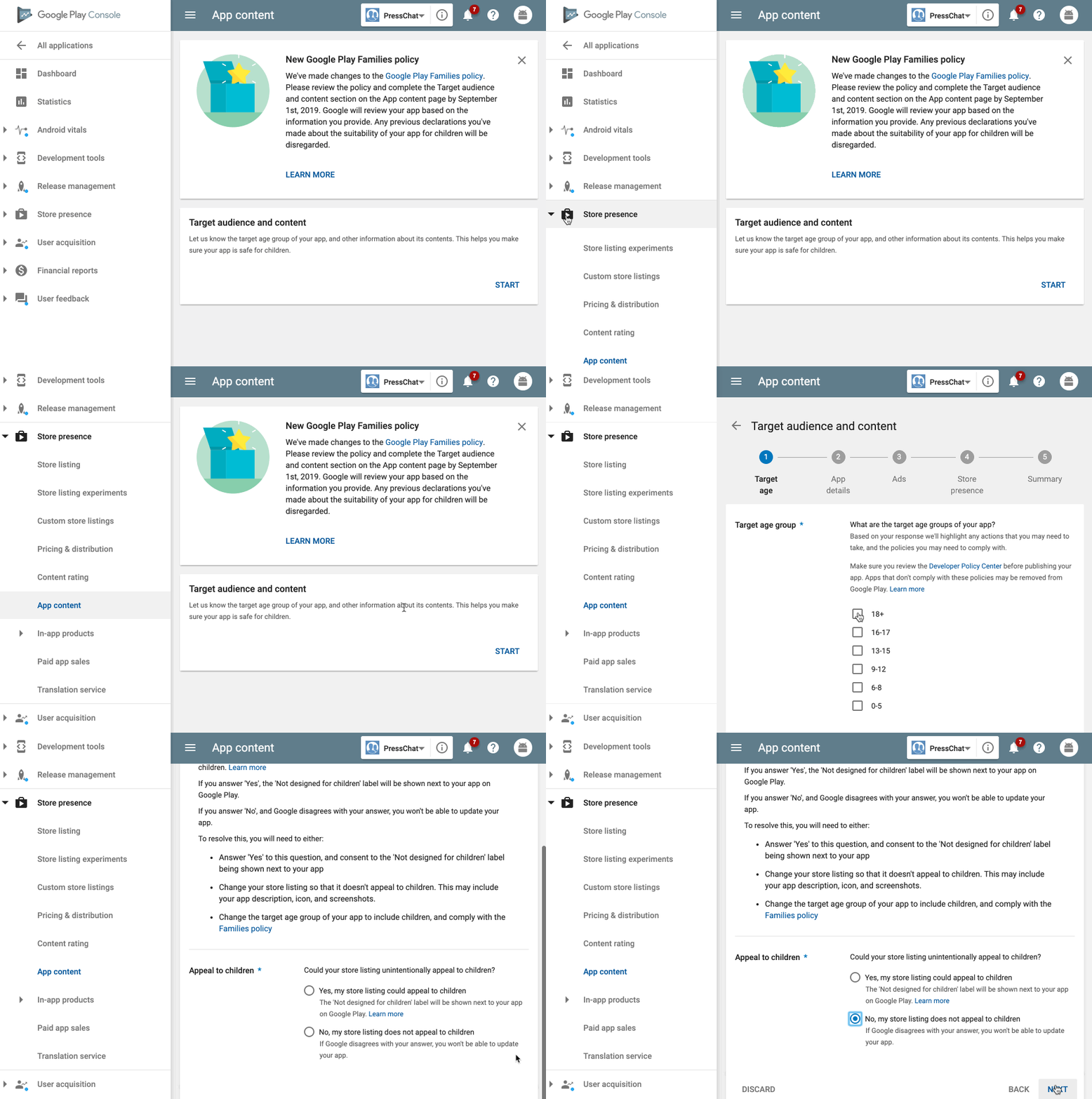
Select your audience age. If you choose 18+ and “No”, you will not be required to do anything else. If you choose to display your app for children, you may be required to take further steps.

That’s it!

One response to “How to Declare a Target Audience for Google Play”

  1. Mayur More Avatar
    Mayur More

    If I have selected the audience age as 18+ and “No”.
    Will the kids below 18, still, be able to download the app?

WordPress

iOS & Android app builder for WordPress

Ready to build your app?

Turn your WordPress site into iOS and Android apps with push notifications on every plan.

AppPresser End of Year Sale: 30% off AppPresser subscriptions, now through Dec 31. Two phones show sample news and events apps built with AppPresser.

End of Year Sale

30% off your first year

On Standard, Professional and Advanced annual plans. Enter the code at checkout. Ends December 31, 2026 at 11:59 PM ET.

Code AP5-30-OFF
See pricing