
Google Play Policy Changes 2026: What WordPress App Owners Need to Do
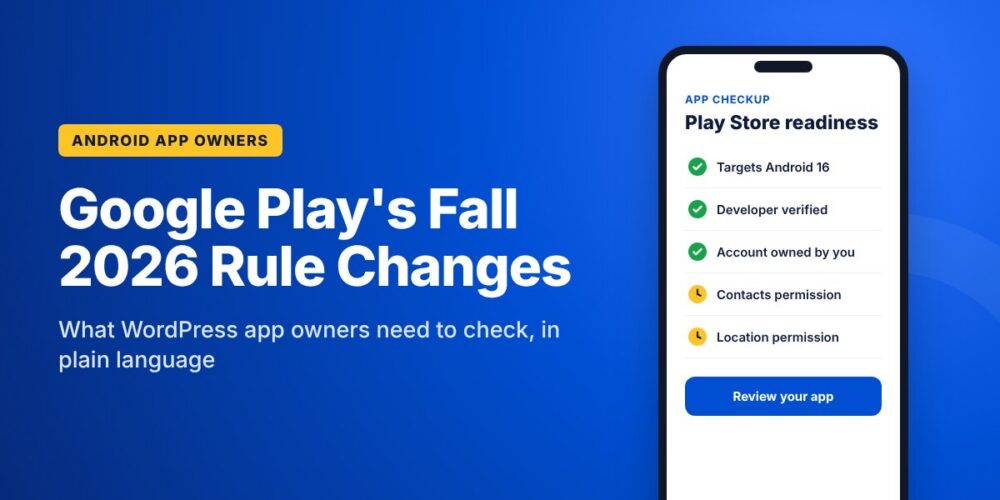
If your organization has an Android app on Google Play, a stack of rule changes landed this fall. Some already took effect. Others kick in over the next few weeks and into early 2027.
Almost all of the announcements were written for Android developers, full of API levels and manifest flags. This guide translates the Google Play policy changes for 2026 into plain language for the people who actually own the apps: associations, chambers, churches, training companies, and membership sites running on WordPress.
The short version: most WordPress-powered apps will be fine. But “fine” depends on someone actually checking. Here is what changed, who it affects, and what to do about it.
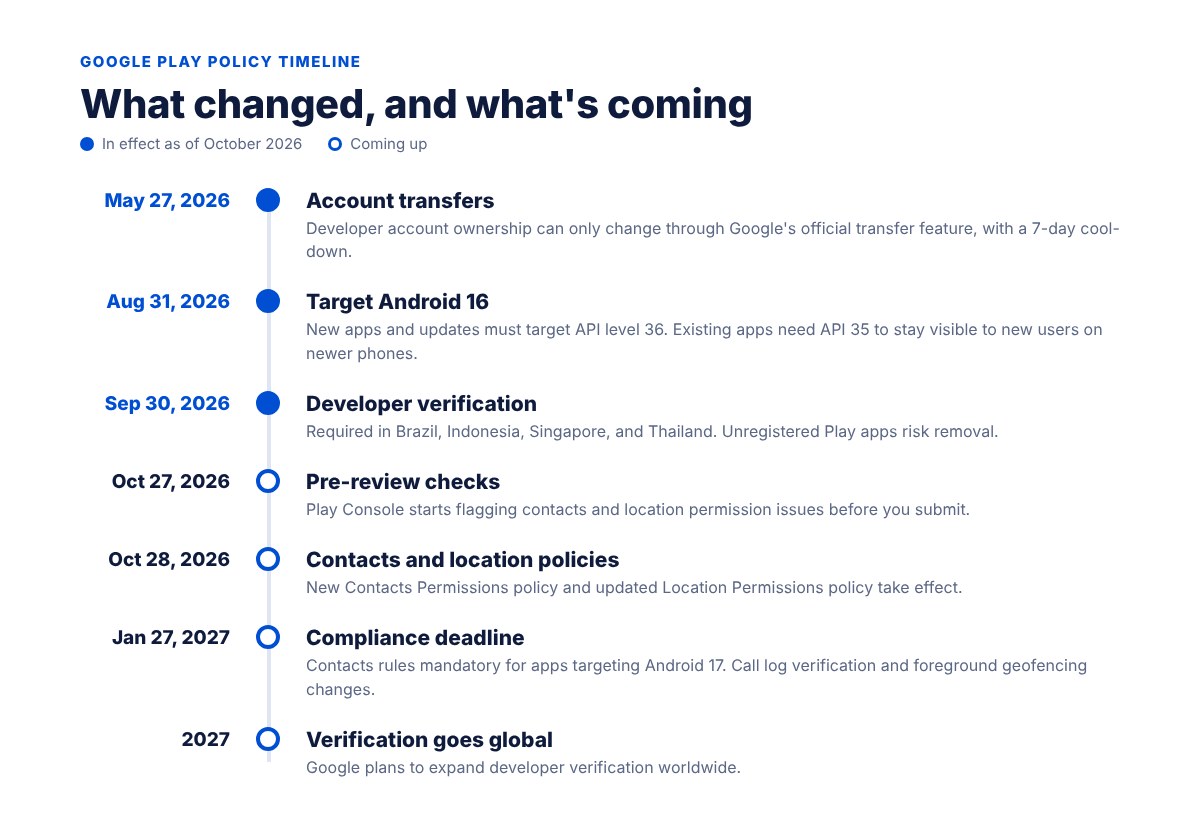
Google Play policy changes in 2026 at a glance
- May 27, 2026: Developer account ownership changes must go through Google’s official account transfer feature.
- August 31, 2026: New apps and app updates must target Android 16 (API level 36).
- September 30, 2026: Android developer verification took effect in Brazil, Indonesia, Singapore, and Thailand, with a global rollout planned for 2027.
- October 27, 2026: New pre-review checks in Play Console start flagging contacts and location permission issues before you submit an update.
- October 28, 2026: The new Contacts Permissions policy and the updated Location Permissions policy take effect.
- January 27, 2027: Contacts compliance becomes mandatory for apps targeting Android 17, and changes to call log permissions and geofencing kick in.
Let’s walk through each one and what it means for a WordPress app.
1. Your app has to keep up with Android
Every year Google raises the minimum Android version that apps must be built for, called the target API level. As of August 31, 2026, new apps and app updates must target Android 16 (API level 36) to be submitted to Google Play. Existing apps must target at least Android 15 (API level 35) to stay available to new users on phones running newer versions of Android.
Here is the part most app owners miss. An app that falls behind does not get a warning email or a big red error. It simply stops showing up for new users on newer phones. Downloads slow down and nobody knows why.
What to do: If your app has not had an update in the last year, ask whoever manages it which Android version the current release targets. If it is below Android 15, schedule a fresh build.
2. Developer verification: make sure your account is in order
Google now wants every Android app tied to a developer whose identity has been verified. The requirement went live on September 30, 2026 in Brazil, Indonesia, Singapore, and Thailand, and Google plans to roll it out globally starting in 2027.
For apps already on Google Play, Google says it automatically registered more than 99% of them. The rest need to be registered from the Play Console home page, or they risk installation errors and removal.
There is a related change that matters even more for organizations. Since May 27, 2026, ownership of a Play Console developer account can only change hands through Google’s official transfer feature, which includes a mandatory 7-day security cool-down. Sharing logins or handing over an account informally is no longer allowed.
What to do: Confirm your app is published under a Google Play developer account that your organization owns and can sign in to. If the account belongs to a former staff member, a volunteer, or an agency you no longer work with, fix that now using the official transfer process, before you need to push an urgent update.
3. Contacts: no more grabbing the whole address book
Google’s new Contacts Permissions policy changes how apps can read a user’s contacts. Apps that target Android 17 (API level 37) or later may only request full contacts access if the new Android Contact Picker cannot do the job.
The Contact Picker is a system screen that lets someone choose just the contacts they want to share, instead of handing over their entire address book. Google is clear that features like inviting a friend, referring a member, sharing a file, or choosing someone to send something to should use the picker, not broad access.
Apps that genuinely need the full contact list have to explain why in a Play Console declaration. Google lists January 27, 2027 as the date compliance becomes mandatory for apps targeting Android 17, with a 30-day automatic extension available in the console.
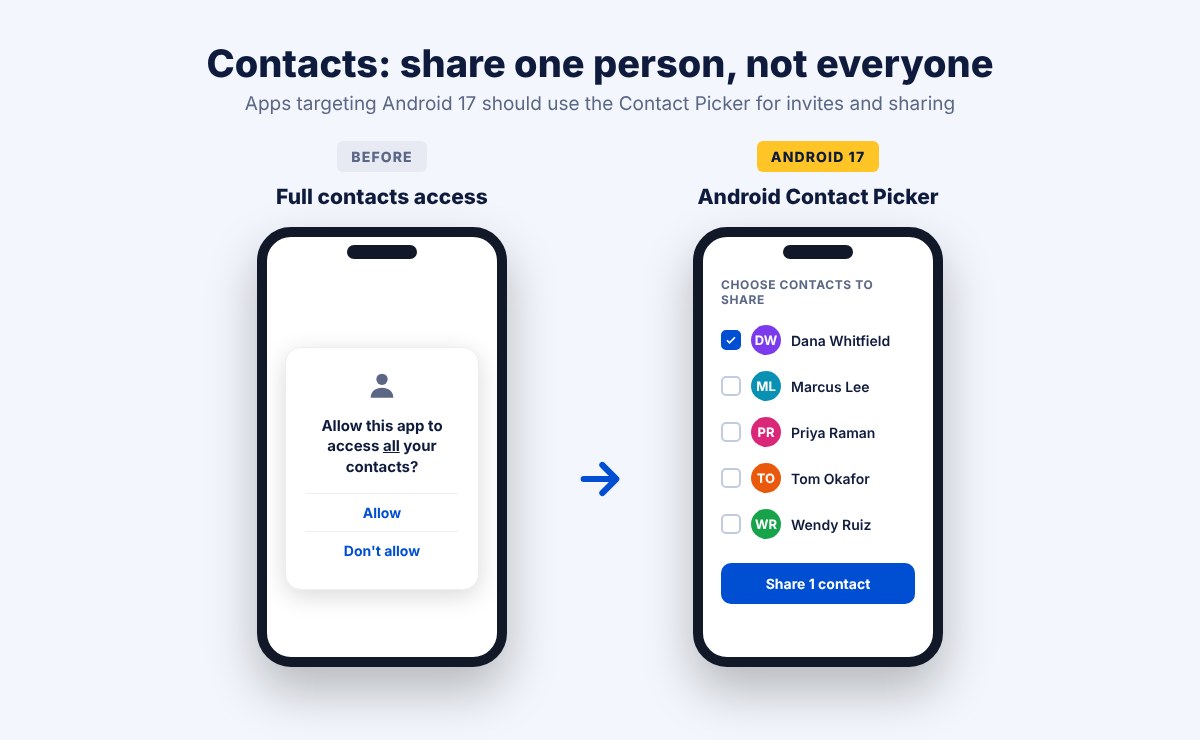
Who this affects: Apps with “invite a friend,” “refer a member,” or “share with a contact” features. Most WordPress apps pull member lists from the website, not the phone, so many will not be touched at all.
What to do: Ask whether your app requests contacts access at all. If it only uses contacts for invites or sharing, switch to the picker and remove the permission.
4. Location: one tap for one-time location
Android 17 introduces a new location button that gives an app a user’s precise location for a single session, then expires. For apps targeting Android 17 and higher, the location button is now the required way to get precise location for one-time tasks like finding something nearby, sharing where you are, tagging a post, or filling in an address.
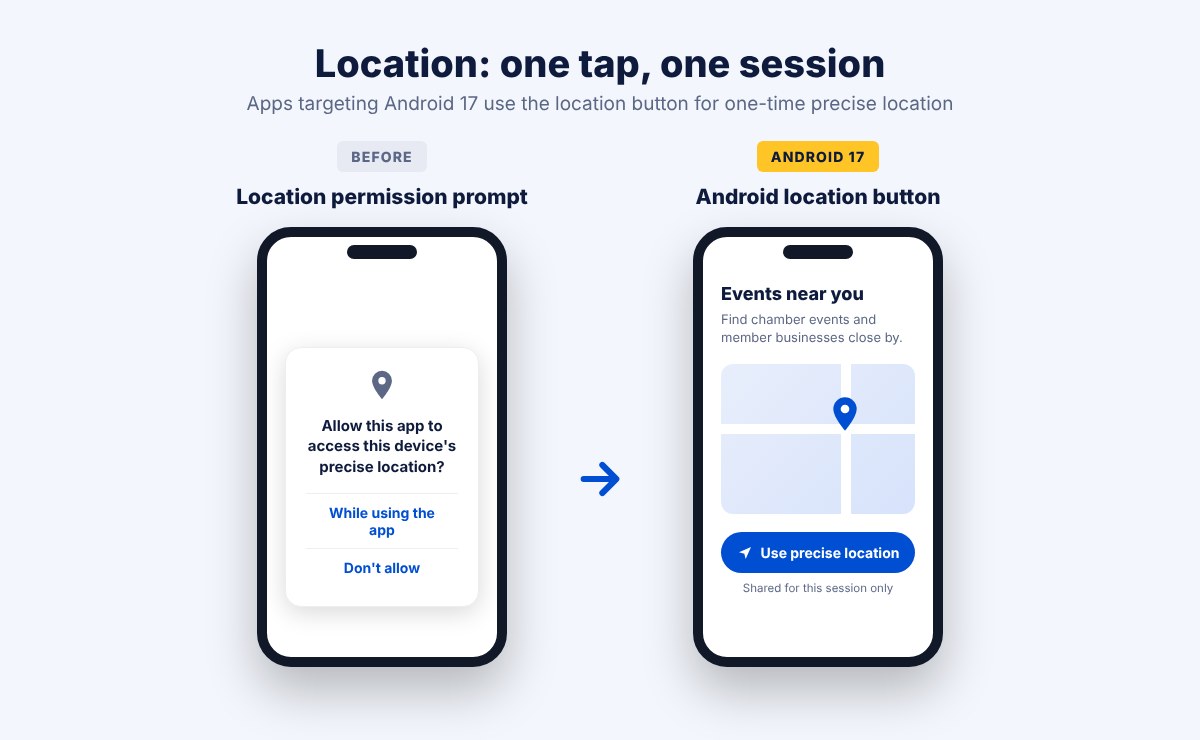
Google also points out that many features only need approximate location. Local news, regional event listings, and “closest locations” lists usually work fine without a street-level pin.
Apps that need ongoing precise location, like turn-by-turn navigation or live tracking, must justify it in a Play Console declaration. Location can never be requested just for advertising or analytics. Google says it expects enforcement for apps targeting Android 17 to begin in late October 2026.
Who this affects: Event apps with “events near me,” chamber apps with a member business finder, church or campus locators, check-in features, and any app that sends location-based reminders.
What to do: List every place your app asks for location and why. If the answer is “to show what’s nearby once,” that is a job for the location button or approximate location.
5. Phone verification and geofencing changes
Two smaller changes take effect on January 27, 2027:
- Apps can no longer use call log access to verify a user’s phone number by phone call. Google points developers to newer verification tools that do not need sensitive permissions.
- Geofencing (triggering something when a user enters or leaves an area) is no longer an approved reason to run a location service in the foreground. Apps are expected to use Android’s Geofence API instead.
Most WordPress apps sign people in with their website username and password or a social login, so the first change rarely applies. If your app sends “you’ve arrived” alerts or location-triggered notifications, ask your developer about the second.
Is your WordPress app affected? A quick checklist
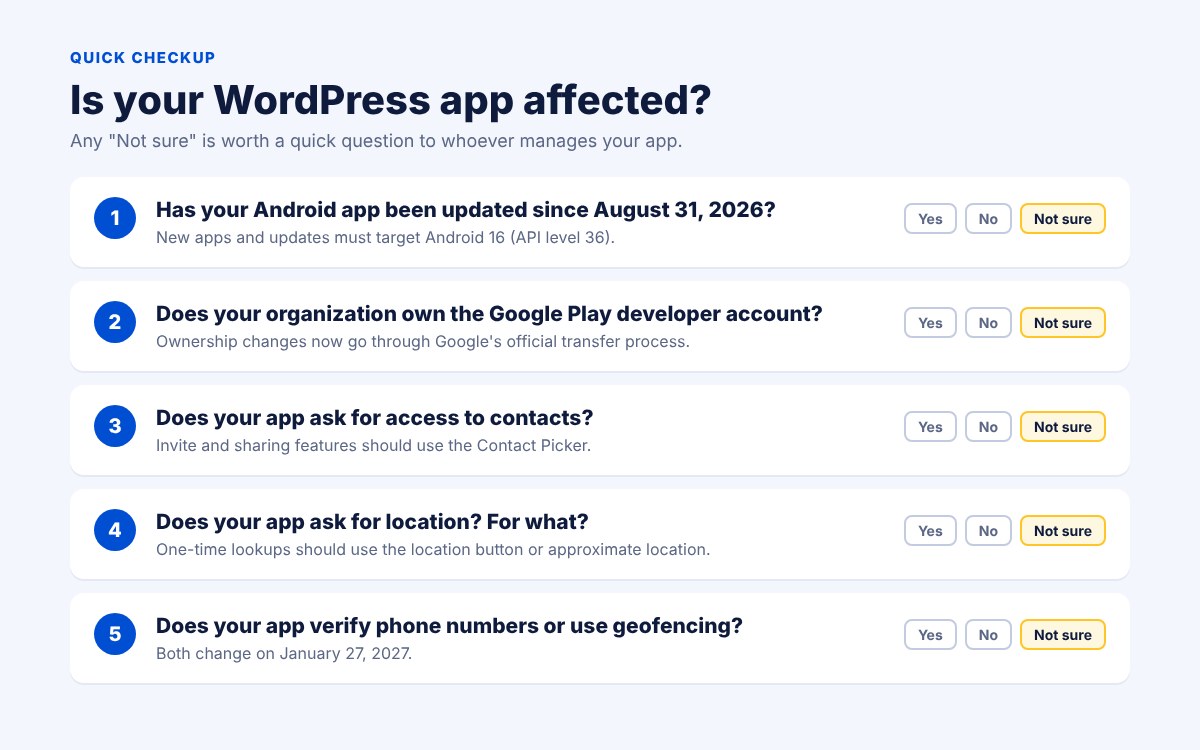
Run through these five questions:
- Has the Android app been updated since August 31, 2026? If not, check which Android version it targets.
- Does your organization own the Google Play developer account? And is developer verification complete?
- Does the app ask for access to contacts? If so, for what feature?
- Does the app ask for location? Is it a one-time lookup or ongoing tracking?
- Does the app verify phone numbers or use geofencing?
If you answered “not sure” to a few of these, you are in good company. Most app owners never log in to the Play Console. Send this list to whoever manages your app and ask for a quick yes or no on each.
Why this matters even if nothing breaks today
Many of the contacts and location rules apply to apps that target Android 17. Your app does not have to target Android 17 yet. But Google raises the target requirement every year, so it is reasonable to expect that day to arrive with a future update.
The new pre-review checks in Play Console, starting October 27, will flag contacts and location issues when you submit an update. That means the first time many app owners hear about these rules will be when an important update gets held up. A few minutes of checking now saves a stressful week later.
Frequently asked questions
Will my app be removed from Google Play?
Not overnight. Apps that fall behind on the target API level become invisible to new users on newer phones. Apps that are not registered for developer verification face installation errors and possible removal. Updates that do not meet the new contacts and location rules may be rejected until they are fixed.
Do these changes affect my iPhone app?
No. These are Google Play rules for Android. Apple has its own review guidelines and its own yearly requirements.
Do I need to understand API levels and permissions?
No. You need to know who is responsible for your app and make sure they have checked. That is the whole job.
My app was built with AppPresser. What should I do?
Reach out to our team with any questions about your app. We are happy to look at where it stands and recommend the simplest path forward.
The bottom line
Google is pushing every Android app toward collecting less personal data and toward knowing exactly who publishes each app. For most WordPress-powered apps, that is good news. Your members and customers get more control, and the store gets safer.
The risk is not the rules themselves. It is not knowing whether they apply to you. Spend ten minutes with the checklist above, make sure your organization owns its developer account, and keep your app on a regular update schedule.
What to do next
Thinking about an app? Start with how much a mobile app really costs in 2026 and when an app beats a responsive website. When you are ready, compare AppPresser plans and pricing and start from the WordPress site you already have.
Need something built or reviewed for you. If your app has to do more than a standard plan covers, or you want a second set of eyes on an existing app, request a custom development quote. Tell us what the app has to do, and we will recommend the simplest path.
