
A quick tour of your AppPresser dashboard
Getting Started · AppPresser Docs
A quick tour of your AppPresser dashboard
இந்தக் கட்டுரை இன்னும் மொழிபெயர்க்கப்படவில்லை, எனவே ஆங்கிலத்தில் காட்டப்படுகிறது.
Your app journey: step 1 of 9, Sign up and sign in. New here? Read Start here: build your app with AppPresser first.
What you'll do: Learn where everything is on your AppPresser dashboard, the place where you manage your account and your apps.
Before you start
- Sign in at myapppresser.com. See Sign in to your AppPresser dashboard.
The welcome box
At the top of the app builder screens, a Welcome to MyAppPresser v5! box appears.
- To learn what changed in version 5, click See what's new in v5.
- To close the box, click the X (Dismiss welcome message).
The sidebar (left side)
- Apps. A list of your apps. The number at the top, for example "17 of 50", shows how many apps you have and how many your plan allows. Click an app to open it.
- New App. The button at the bottom of the list. Click it to make a new app.
- Account. Your account details. See Your account page.
- Support and Premium Support. Ways to get help from the AppPresser team.
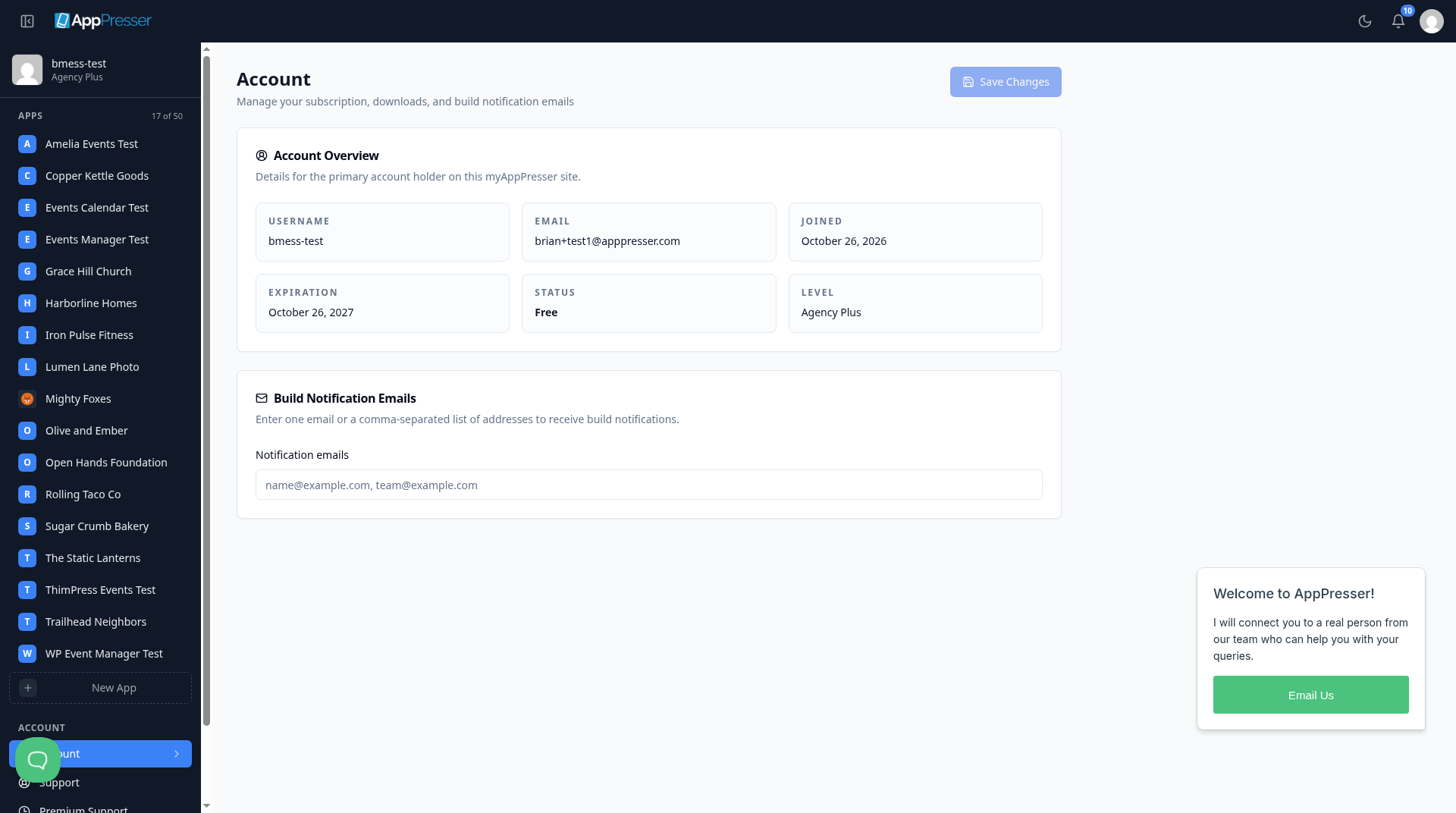
To hide the sidebar, click the square icon at the top left. Click it again to show the sidebar.
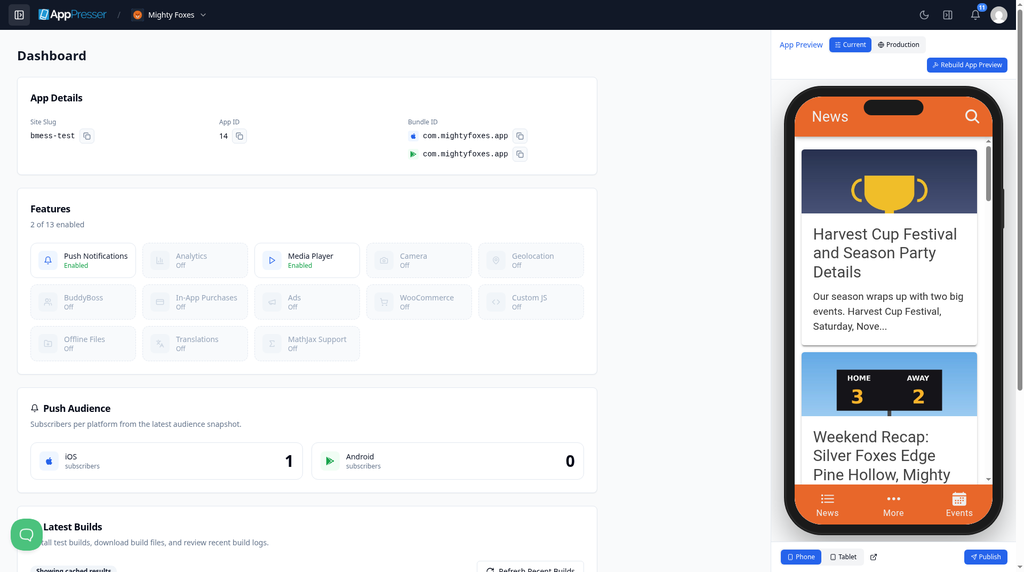
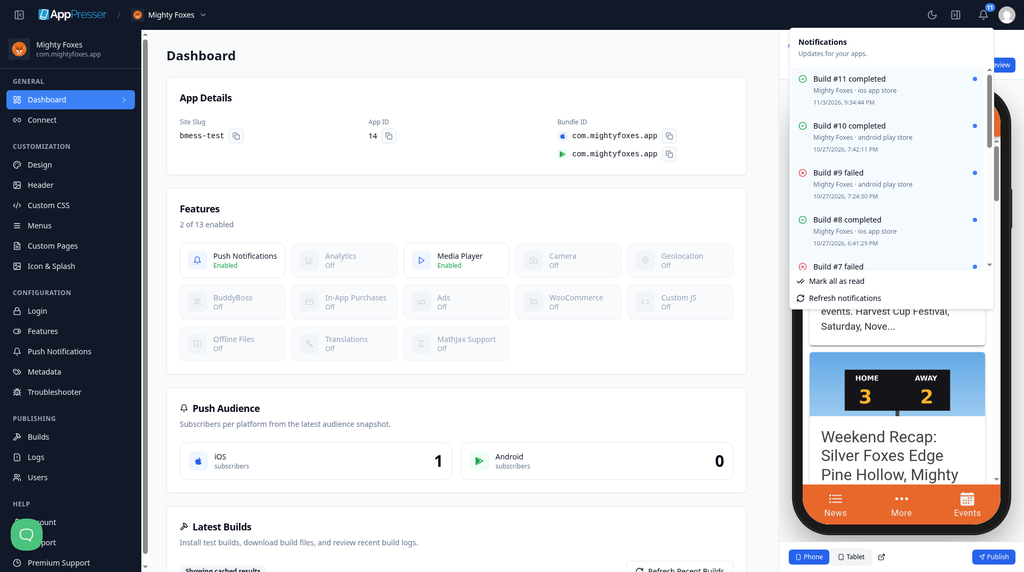
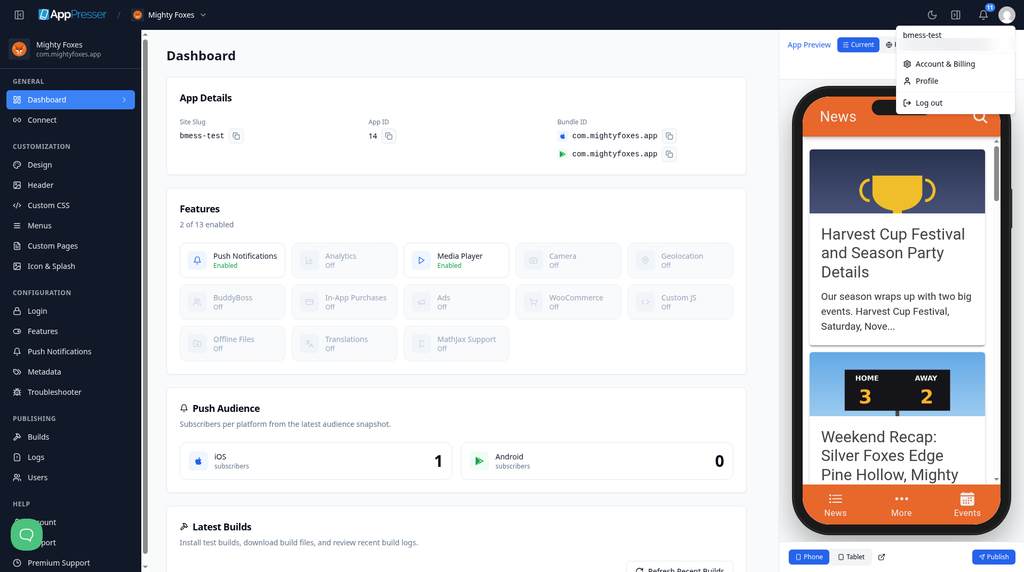
The top bar (top right)
- Bell. Shows notices about your apps, for example when a build is finished. A build is the app file AppPresser makes for phones. Click Mark all as read to clear the unread count.
- Moon. Switches between light colors and dark colors (dark mode).
- Avatar. Your picture. Click it to see Account & Billing, Profile and Log out.
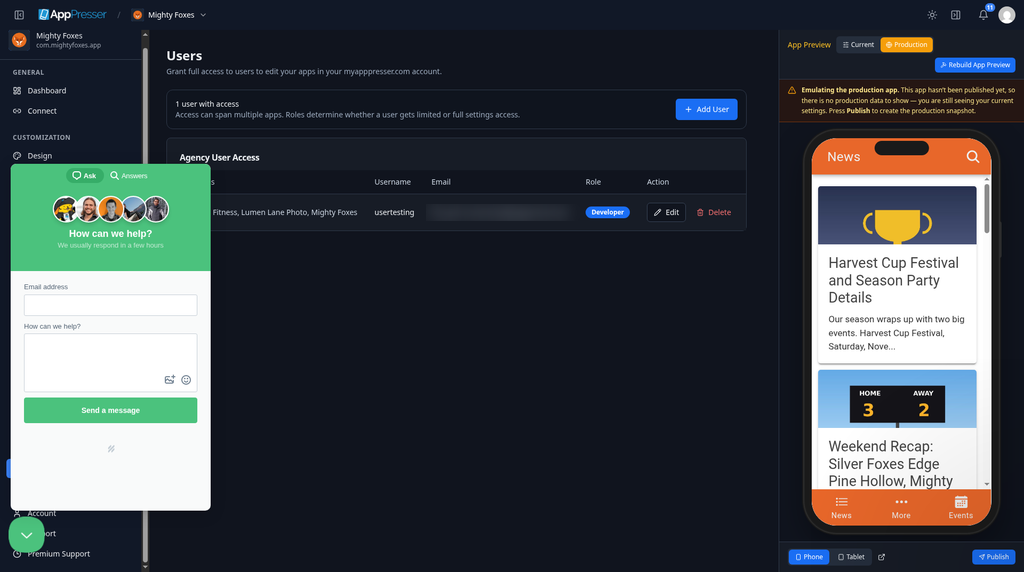
Get help from the chat bubble
The round chat bubble at the bottom left opens a help window.
- Click the chat bubble.
- Type your email address and your question.
- Click Send a message. A person on the AppPresser team will reply.
You're done when you can find your apps, the bell, dark mode and your avatar menu.
Next step
Related articles
இது உதவியாக இருந்ததா?
தட்டச்சு செய்யும்போதே முடிவுகள் புதுப்பிக்கப்படும். தேடலுக்குச் செல்ல ஸ்லாஷ் அழுத்துங்கள்.
கிடைக்கவில்லையா?
எங்கள் ஆதரவுக் குழு அமைவு, உருவாக்கம் மற்றும் app store கேள்விகளில் உதவ முடியும்.